



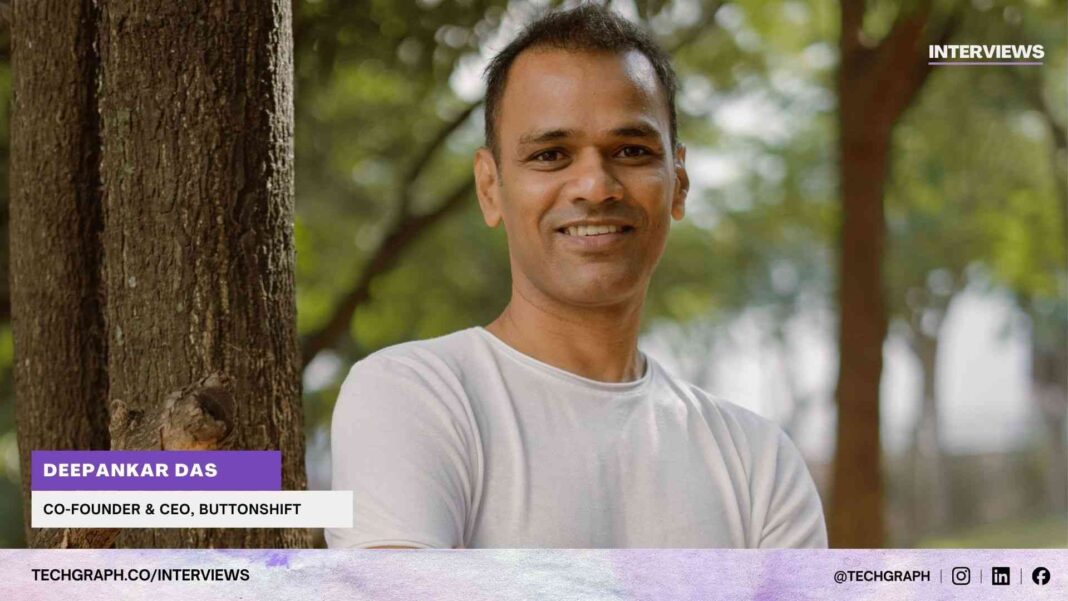
Speaking with TechGraph, Deepankar Das, Co-Founder and CEO of ButtonShift, discussed how traditional task management tools are unable to capture the non-linear and visually iterative nature of creative work by treating assets as static attachments rather than dynamic files in motion, and how ButtonShift is addressing this gap through real-time telemetry and asset-level intelligence that replace manual status updates with measurable visibility into what is happening inside the creative lifecycle.
Das further explained how ButtonShift delivers this clarity through consolidated annotations, version tracking, and approval logs pinned directly to the visual asset, while Worklists and Boards provide a unified operational view across functions without forcing teams to abandon their preferred design tools, ensuring that creative projects move faster and more predictably from ideation to market delivery.

Read the interview in detail:
TechGraph: ButtonShift talks about reimagining workflows through visual intelligence rather than conventional task management. What gap did you see in existing enterprise tools that made you believe telemetry could redefine operational visibility?
Deepankar Das: Conventional task management tools (like Asana, Jira, etc.) are built for linear task completion. They see a creative project simply as a sequence of steps: To Do → In Progress → Review → Done. The data they collect is manual and declarative: someone clicks a button and says, “This is now in review.
This system utterly fails creative workflows because they cannot view the contents of the file. They treat a creative asset (such as a video file, design mockup, or 3D render) as a static attachment. There’s zero visibility into the asset’s state: its current resolution, its real version number, the presence of specific visual elements (like a logo), or whether it’s locked by an editor.
More importantly, they miss the “Unstructured Chaos”. Chaotic, non-linear back-and-forth of visual feedback, version comparison, and annotation – these are the most time-consuming steps and are invisible to the PM tool, which only sees the task lingering in the “Review” column.
We believe telemetry and visual intelligence are essential because they replace subjective, manual task status with objective, real-time operational data. By automatically tracking interactions with the asset, such as the time an asset spends awaiting visual feedback (Time-in-State), the specific location of annotations, and version integrity across file types, ButtonShift provides granular visibility that is directly tied to creative quality, compliance, and hence eliminates the chaotic guesswork of conventional task management.
In short, ButtonShift uses this telemetry to provide operational visibility that is both immediate and directly tied to creative quality and compliance, eliminating the guesswork that defined conventional project management.
TechGraph: Most traditional workflow platforms tend to react to failures rather than anticipate them. What was the turning point that led you to design a system capable of identifying bottlenecks before they even become visible to teams?
Deepankar Das: The turning point for us was the realisation that traditional workflow platforms are blind to the actual process of creative revision. They only track a task’s status (“In Review”), not the state of the visual asset or the real blockers involved.
We are designing ButtonShift to move from a Reactive Model to a Proactive Model (predicting them). The crucial insight was that the greatest bottleneck is the unstructured chaos of the feedback cycle: scattered comments, missing versions, and vague requests.
Our system has been designed to simplify and quantify this chaos. In our future builds, instead of just seeing a task stuck in “Review,” our platform would flag a bottleneck risk immediately if an asset spends too long in the “In Review” state or if the feedback received is highly fragmented. By quantifying these previously invisible steps, the time spent waiting, and the quality of the communication, we can identify bottlenecks and allow managers to intervene before the delay becomes visible or impacts the creative deadline.
TechGraph: In most organizations, workflows break down not because of poor tools but because information sits in silos. How does ButtonShift’s architecture cut through that fragmentation without forcing teams to completely rebuild their existing systems?
Deepankar Das: ButtonShift’s architecture cuts through information fragmentation by acting as a centralized, visual orchestration layer focused entirely on the asset itself, rather than forcing teams to abandon their existing tools. The key is Consolidation without Replacement.
The primary way we break silos is through Contextual Consolidation. ButtonShift creates a single source of truth where the creative asset is the hub. All comments, annotations, version history, and approval logs are pinned directly to the file—be it an image, video, PDF, or audio. This eliminates information silos because the crucial context (like “Change the colour at 0:15”) no longer lives in an email thread or a separate chat app; it is visually integrated into the work. You don’t have to search five places for the latest note.
Teams continue to use their core design tools, but they use ButtonShift as the single, reliable place to share, review, and approve the output. This streamlined flow, coupled with automated version tracking, prevents the chaos of file named and allows the team to spend time creating, not administering version control amongst other things.
TechGraph: Campaign operations today are layered across marketing, product, and creative functions that often lack a shared workflow language. How do you bring these fragmented systems into a unified operational view without disrupting the way teams already work?
Deepankar Das: ButtonShift addresses fragmentation in campaign operations by acting as the central visual language interpreter and workflow orchestrator across the three functions. The key is unifying the output (the creative asset), rather than disrupting how teams already work by forcing them to use the same input tool.
We achieve this by making the creative asset the single source of truth. ButtonShift’s Creative Workflow Tool houses the core campaign asset itself (image, video, design), and its Feedback Tool consolidates all input from every stakeholder directly onto that visual file. This eliminates the silos created by scattered emails and chats, as the crucial context (“Change this copy,” “Update the UX flow”) is visually integrated with the work.
It all depends on the team setting up a process that requires stakeholders from all three functions (Marketing, Product, Creative) to formally approve the asset, creating an undeniable, automated audit trail for every final decision.
Also, ButtonShift Worklists help provide a unified operational view without forcing everyone into a single interface. Worklist is a creative project & process management tool that can be used by each function—Marketing sees dates and channel readiness, Product sees implementation status, and Creative sees ideation to post.
Teams continue to create in their preferred software, using ButtonShift only for the essential, unified process of review, approval, and project management. This low-friction approach brings fragmented systems together while ensuring high adoption.
TechGraph: You operate at the intersection of AI, automation, and human collaboration. What does that balance look like between machine-detected insights and human judgment, especially in high-pressure environments where deadlines are tight and outcomes critical?
Deepankar Das: ButtonShift’s philosophy is centered entirely on perfecting the human-to-human collaboration layer, not on machine-driven insights. Therefore, the operational balance we seek in high-pressure, deadline-driven environments is between Human Clarity (Articulation) and Human Judgment (Decision-Making). We view the machine as an enabling layer designed to optimize human input so that crucial decisions can be made instantly and accurately.
The system ensures clarity by empowering teams to articulate better. The Feedback Tool eliminates communication failure by allowing reviewers to use time coded annotations and voice notes directly on the asset, providing a unified, precise brief. This frees up human judgment (I call it the ‘Creative Mindspace’). The team focuses 100% on the core task, i.e., “Is my creative ready for market?”. By offloading the chaos of communication, ButtonShift allows human judgment to be faster and more reliable because it is not polluted by the errors and delays inherent in conventional, unstructured communication channels.
TechGraph: Real-time workflow telemetry implies deep visibility into every moving part of a campaign. How do you capture and interpret that data without overwhelming teams, and what ensures that insights turn into timely action rather than just another dashboard?
Deepankar Das: Since ButtonShift relies on human interpretation rather than automated machine action, we capture and interpret workflow data by prioritizing simplicity and contextual delivery. We avoid overwhelming teams by relying on passive data capture. We track things like the Time-in-State (how long an asset sits in a queue), version volumes. These are tracked automatically through platform usage. This data isn’t presented in complex charts; it’s simplified into visual cues in the form of insights, depending on which tool you are using – Boards or Worklists.
TechGraph: Finally, as AI embeds itself more deeply into collaborative systems, what’s next for Visual Workflow Intelligence? Do you see it evolving from detection to orchestration — where workflows begin to adapt, optimize, and perhaps even self-correct on their own?
Deepankar Das: That’s an insightful final question. For Visual Workflow Intelligence, we absolutely see the evolution moving beyond detection and into true orchestration and adaptive systems, where the workflow manages itself. The next wave is transitioning from merely flagging failures to automatically rerouting and optimising the process.
Currently, ButtonShift excels at Detection and Visibility, presenting human interpreters with data like Time-in-State and version count etc., to find the bottlenecks. The future is about automating the intervention, moving us towards self-correction, and eliminating manual hand-offs entirely when an asset meets pre-defined approval criteria.
Ultimately, the goal is to create self optimising workflows that learn from past visual data and adjust the pipeline in real time. The system won’t just report that Reviewer X is a bottleneck; it will learn from historical performance and automatically prioritize sending specific asset types to faster reviewers (Reviewer Y) or dynamically adjust workflow complexity based on the initial creative brief’s perceived risk.
This future state will use the rich, asset-level data we now capture, helping automate the management of the process itself, and in the process, allowing the human creative team to focus solely on the creatives.